
Monthly
€2.99per month
Renews every month. Cancel anytime.
Subscribe
A Swap app for Mac
Look at your Mac. It unlocks.
The Look recognizes your face with your Mac's camera and unlocks the screen for you. Nothing to type, nothing to touch.
Requires macOS 15 or later.
How it works
Look at the camera and turn your head in nine directions. The Look turns that into numbers and discards the images.
Your Mac password stays on the computer, encrypted. The key lives in the macOS keychain, protected by Touch ID.
When your Mac wakes or locks, The Look searches for you. If it's you, it enters the password and you're in.
Features
When the screen wakes, right after locking, or only when you press the space bar. Your choice.
Enroll your face with glasses, with a beard, in different light. Each look can be turned on or off without deleting it.
The real-person check rejects printed photos and photos shown on a phone. Two levels: Light or Strict.
Lenient, Normal or Strict, and three distances from the screen. The stricter it is, the less it mistakes someone for you.
Use the built-in one or an external one, and decide which display shows the indicator.
At the top of the screen you see when it's searching and when it has recognized you. Hover it to try again.
Security
We tell you before you install it: your Mac's camera sees in two dimensions and doesn't measure depth. The Look is more convenient than a password, not more secure.
Settings
Six panes, macOS controls and an explanation under every choice. Face, password and camera can be changed at any time.
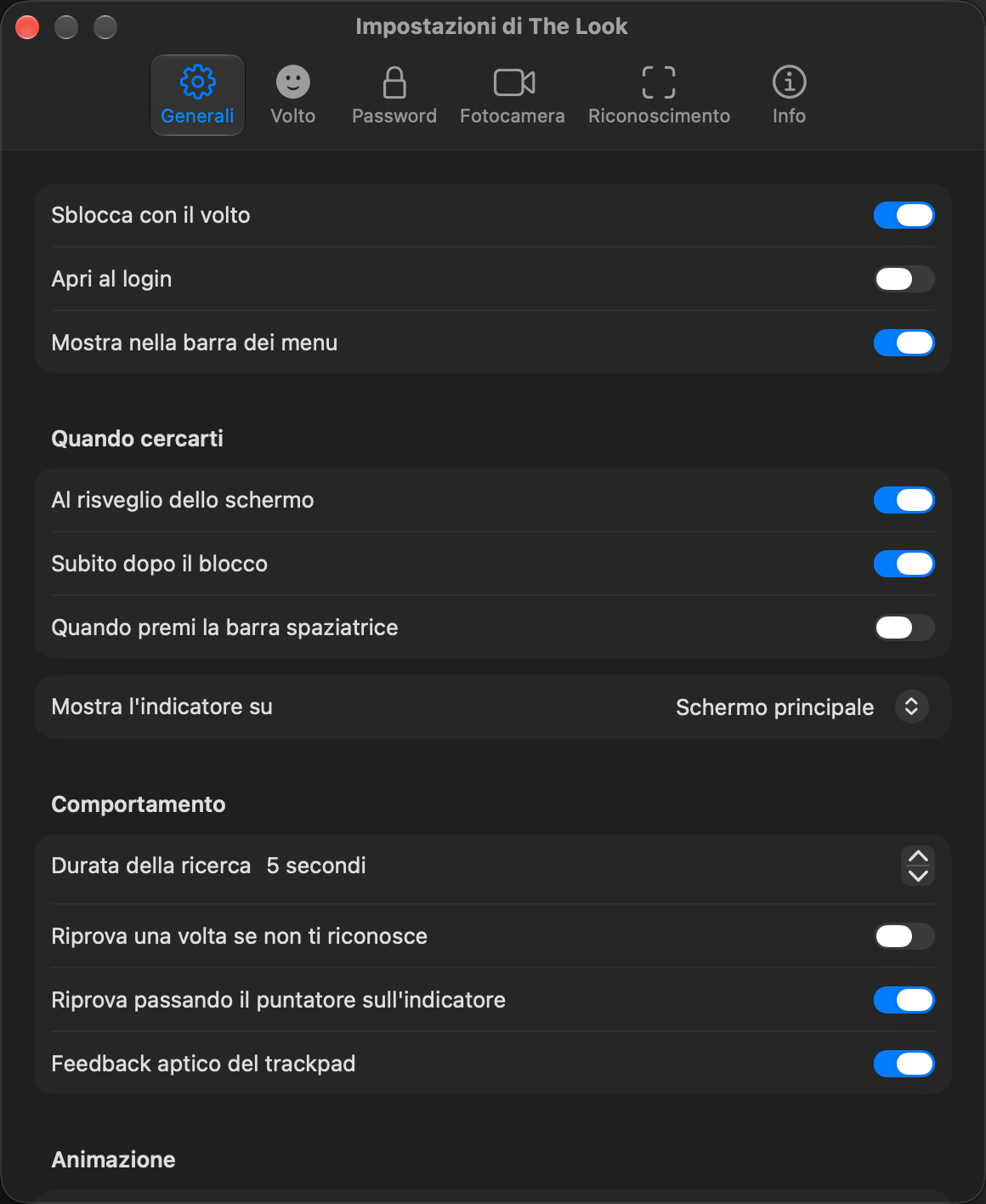
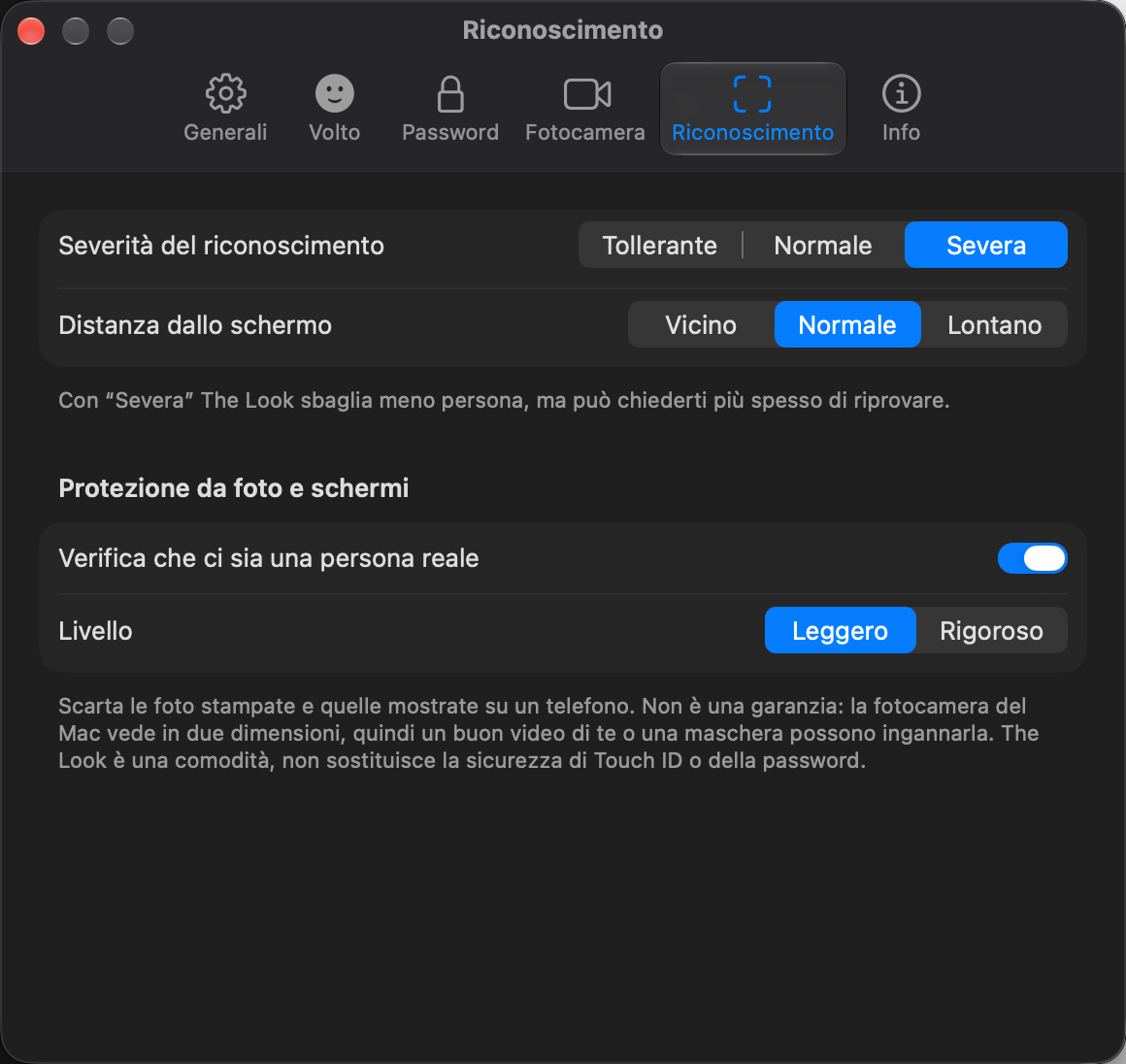
Screenshots of the app in Italian.
The Look keeps no photos or videos. For each enrolled look it keeps only a series of numbers, in an encrypted file on your Mac. Camera images are analyzed in memory for a few seconds and are not saved.
Your face and password never reach us and we can't read them. Delete them whenever you like from Settings › Password › Remove password and faces.
Pricing
The same features either way. VAT included.
€2.99per month
Renews every month. Cancel anytime.
Subscribe€29one-time payment
Pay once and The Look is yours to keep.
BuyPayment is handled by Paddle, which issues your receipt and applies your country's VAT.
No. Phones that unlock with your face use a depth sensor; your Mac's camera sees a flat image. The Look rejects printed photos and photos on a screen, but a good video or a mask can fool it. It's a convenience, not a security upgrade.
macOS doesn't let an app authorize a login. So when The Look recognizes you, it enters your Mac password on the lock screen. The password is stored encrypted on your computer.
Nowhere. It stays on your Mac as numbers, in a file encrypted with a key in the macOS keychain. We keep no photos, receive nothing and can't read it.
The first login after a restart requires the password typed by hand. From then on The Look works again. If you change your Mac password, update it in The Look too.
Camera, to see your face. Accessibility, to enter the password on the lock screen. Touch ID or your Mac password, to protect the key that encrypts your face and password.
On Macs running macOS 15 Sequoia or later, with Apple silicon or Intel, using the built-in camera or an external one.
€2.99 a month or €29 once, VAT included. The features are the same. Payment is handled by Paddle and one license works on two Macs.
The Look is built on Glance, an open source project under the MIT license, and uses the SFace recognition model. Component licenses are listed in the app's Info pane.
Look at your Mac. It unlocks.
Requires macOS 15 or later. From €2.99 a month or €29 once, VAT included.